
Excel autofill without dragging
When a sheet has thousands of rows, dragging the fill handle is fragile. Generate the formula once and paste it where it belongs.
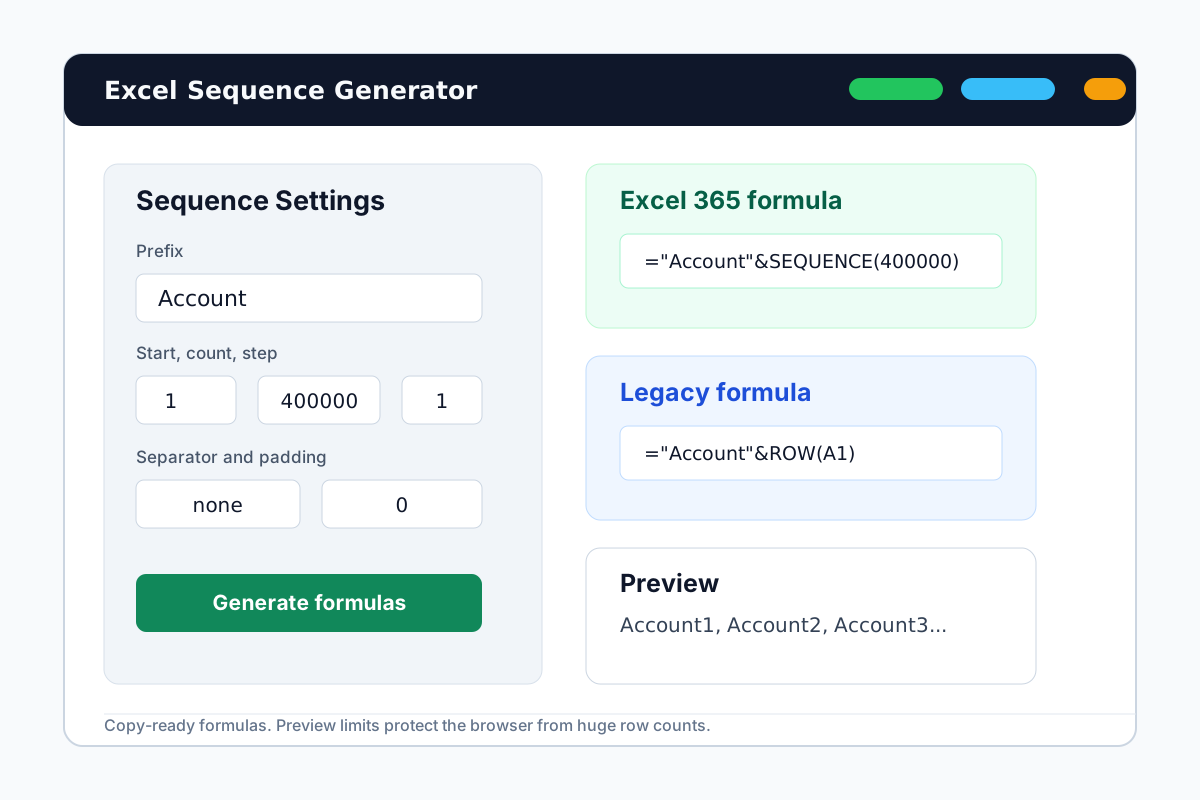

Use formulas instead of dragging the fill handle
For long series, formulas are easier to review, easier to repeat, and less likely to stop at the wrong row.
No long scroll
Avoid dragging through large sheets just to create numbered labels.
Repeatable pattern
Save the prefix, count, step, and padding pattern for future worksheets.
Preview before paste
Check the first generated rows before using the formula in Excel.
A safer autofill workflow
Generate the sequence pattern, inspect it, and paste it into Excel.
1
Define the series
Set start number, row count, step, prefix, and formatting.
2
Copy the formula
Use Excel 365 SEQUENCE or a legacy ROW formula.
3
Fill from one cell
Paste into the first target cell and let Excel generate the series.
Autofill without dragging FAQ
Generate a fill-series formula
Skip manual dragging and create the Excel sequence from inputs.